
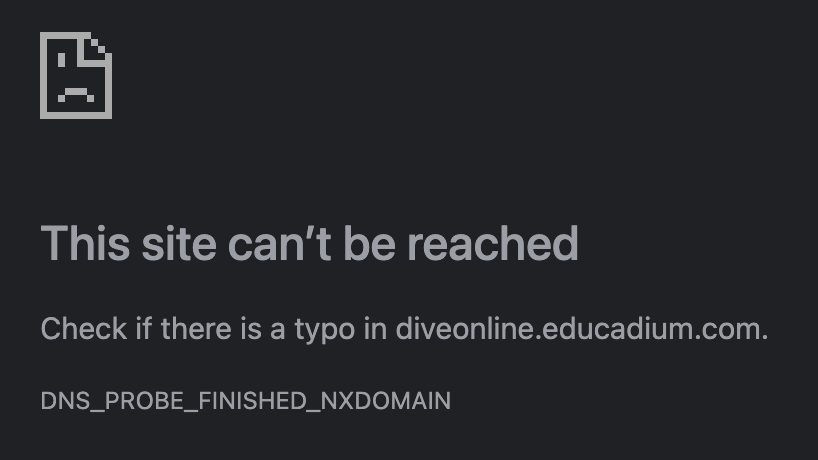
If you are logging in at diveonline.educadium.com and see this message:
FOLLOW THESE STEPS:
- If you have never received a login for diveonline.educadium.com, these instructions will not work. Instead, see: No Login Email
- If you have received a login email for diveonline.educadium.com, read all the steps below before trying to login.
- Open Chrome and type in: dive.unhosting.site/login/
- USERNAME: Enter the same username you used for the old site – no capital letters. If you have + or = or a space in your username, please remove it.
- PASSWORD: Enter MathPortal3&16
- Select the blue "Login" button.
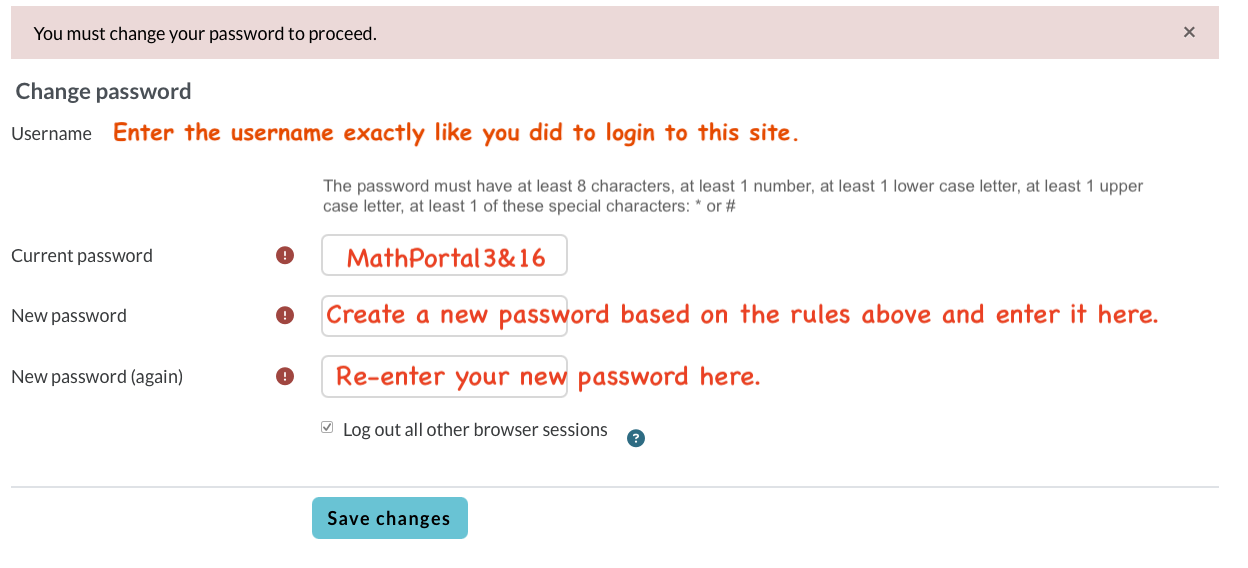
- A “Change Password” screen will be displayed (see below). Enter the information EXACTLY like the screenshot below.
- If you receive an error, see: Incorrect Email/Password Combination
Need Help? View I Can't Login or call 936-372-6299 M-F from 9 to 5 CST or send an email to support@diveintomath.com and include the student's name, course title(s), and the email address used in your student's diveonline.educadium.com account.